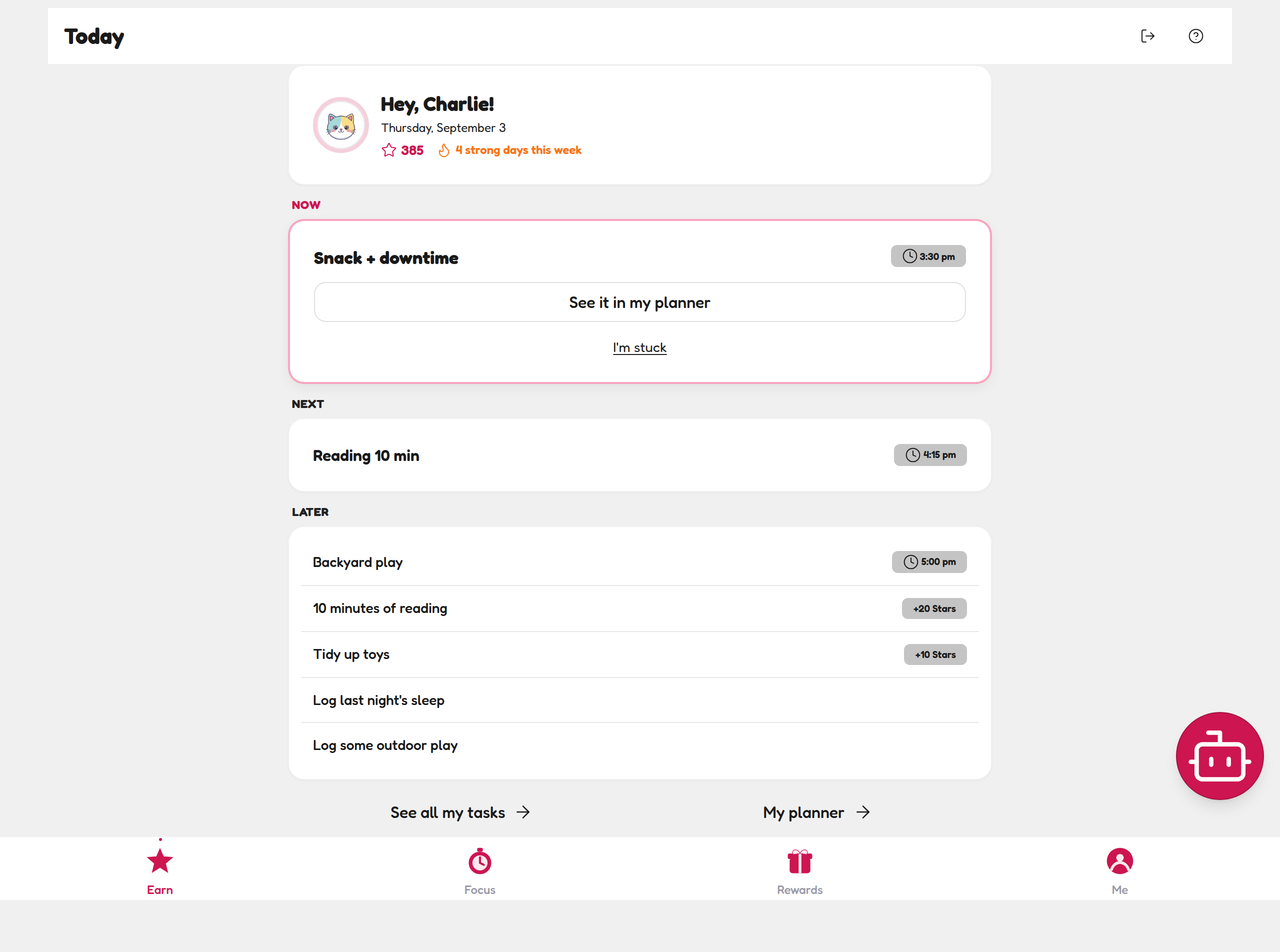
The Earn tab: today, sorted into Now, Next and Later
The child view has four tabs along the bottom — Earn, Focus, Rewards and Me — and Earn is where the day happens. It opens with a greeting ("Hey, Charlie!") and the two numbers that matter to a kid:
- Stars — their spending balance for the Rewards Shop (kid profiles earn stars; teen profiles earn XP and levels)
- Strong days this week — how many days they've shown up and finished. Streaks are rocket fuel for ADHD motivation.
Below that, today's tasks are sorted for them — no prioritising required, which is exactly the hard part for an ADHD brain:
- NOW — the one thing to do right now, big and impossible to miss, with its star value on the card
- NEXT — what's coming after, so the day has a visible shape
- LATER — small daily logs like Log last night's sleep and Log some outdoor play
The magic tap (and two clever buttons)
-
Do the task in real life. The app is the scoreboard — the win happens off-screen.
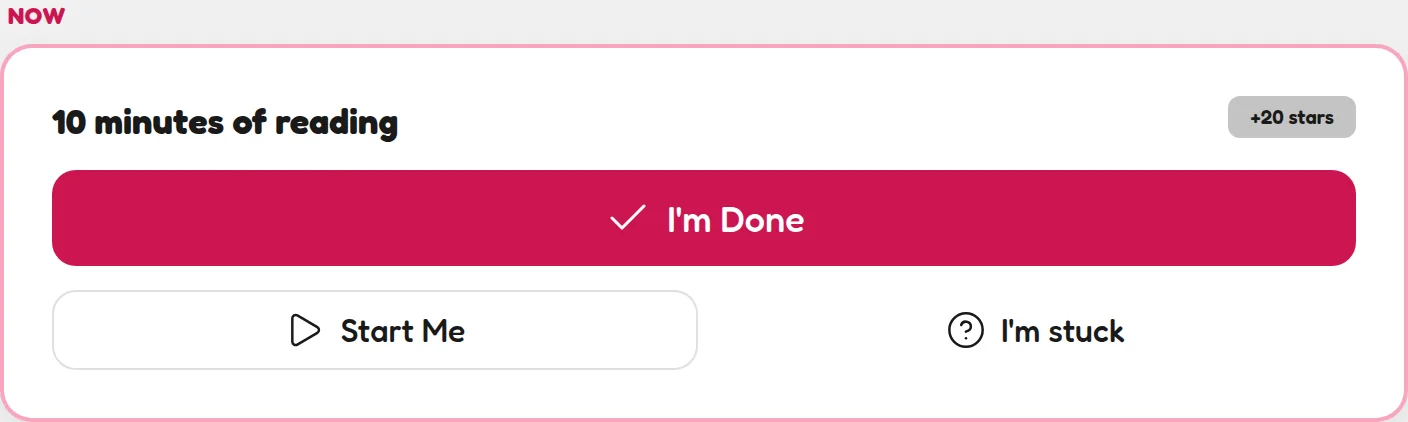
The NOW card: one task, front and centre, with its star value. -
Tap I'm Done. The stars fly into their balance. Instant cause and effect. (On your Parent Dashboard it lands in Pending Approvals for your tick.)
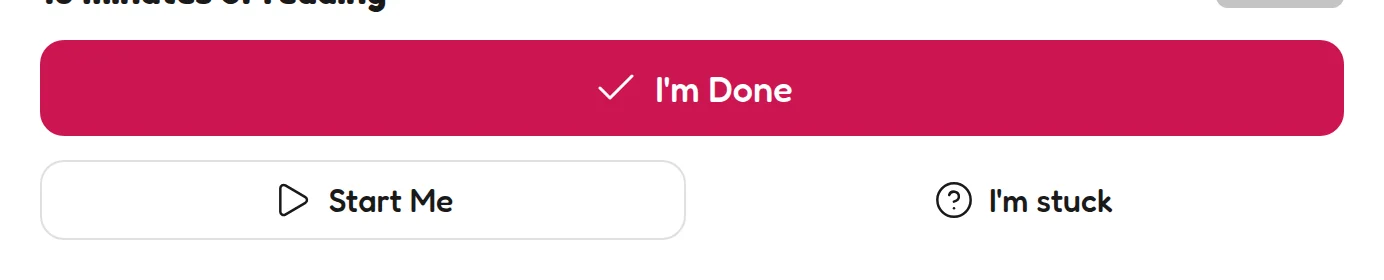
Three honest buttons: I'm Done, Start Me, I'm stuck. -
Or tap Start Me to launch straight into doing mode — one tap, no deliberating.
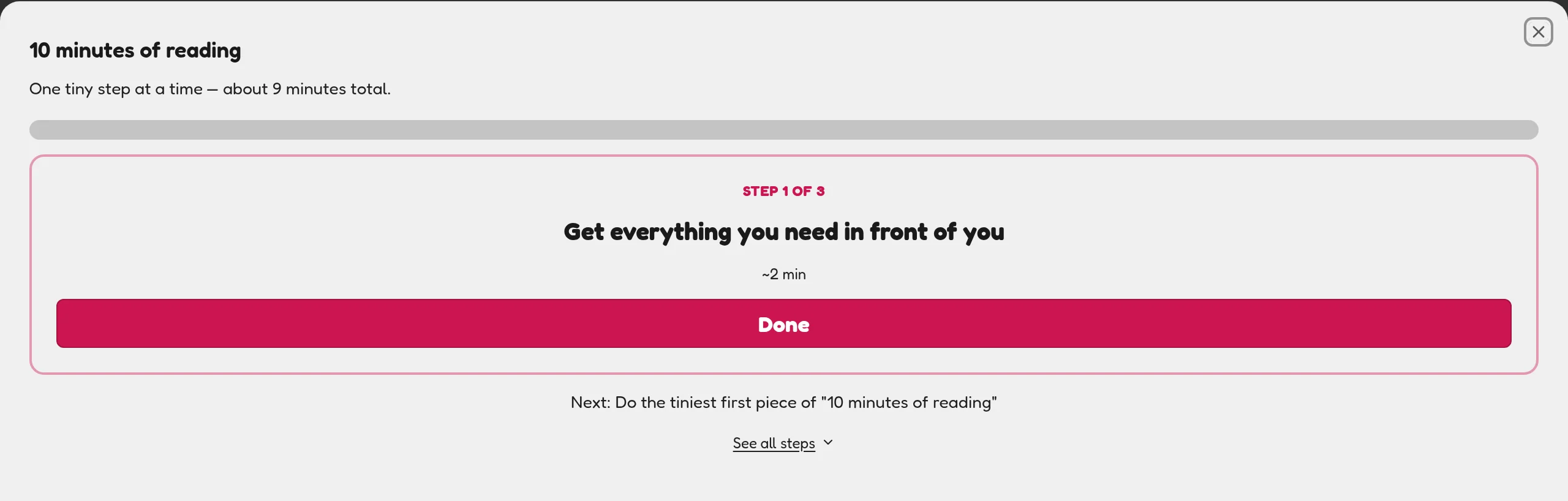
Start Me breaks the task into tiny guided steps. -
Stuck? There's a button for that. I'm stuck flags the task for you — your kid can ask for help without melting down or wandering off.
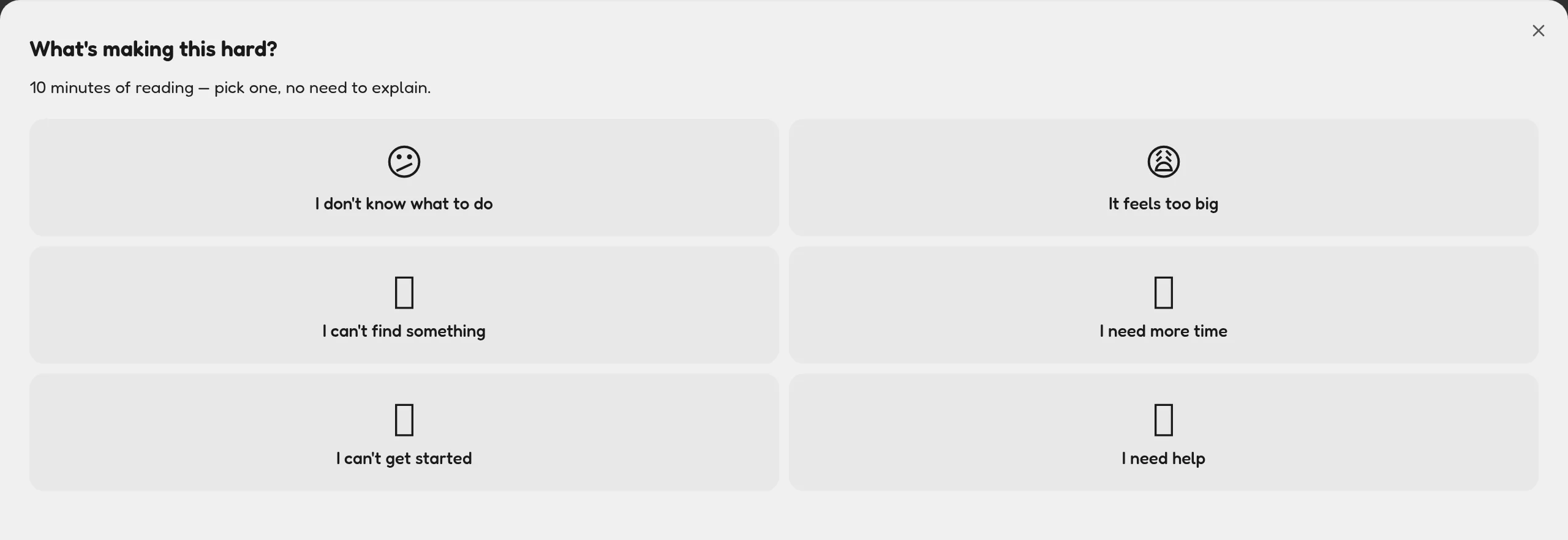
I'm stuck asks what's wrong and offers a smaller first step.
🔗 See all my tasks & My planner
Under the day's cards, See all my tasks → shows the full list and My planner → shows the weekly rhythm you set up in the Weekly Planner. The Earn tab keeps today simple; those links are there when they want the bigger picture.
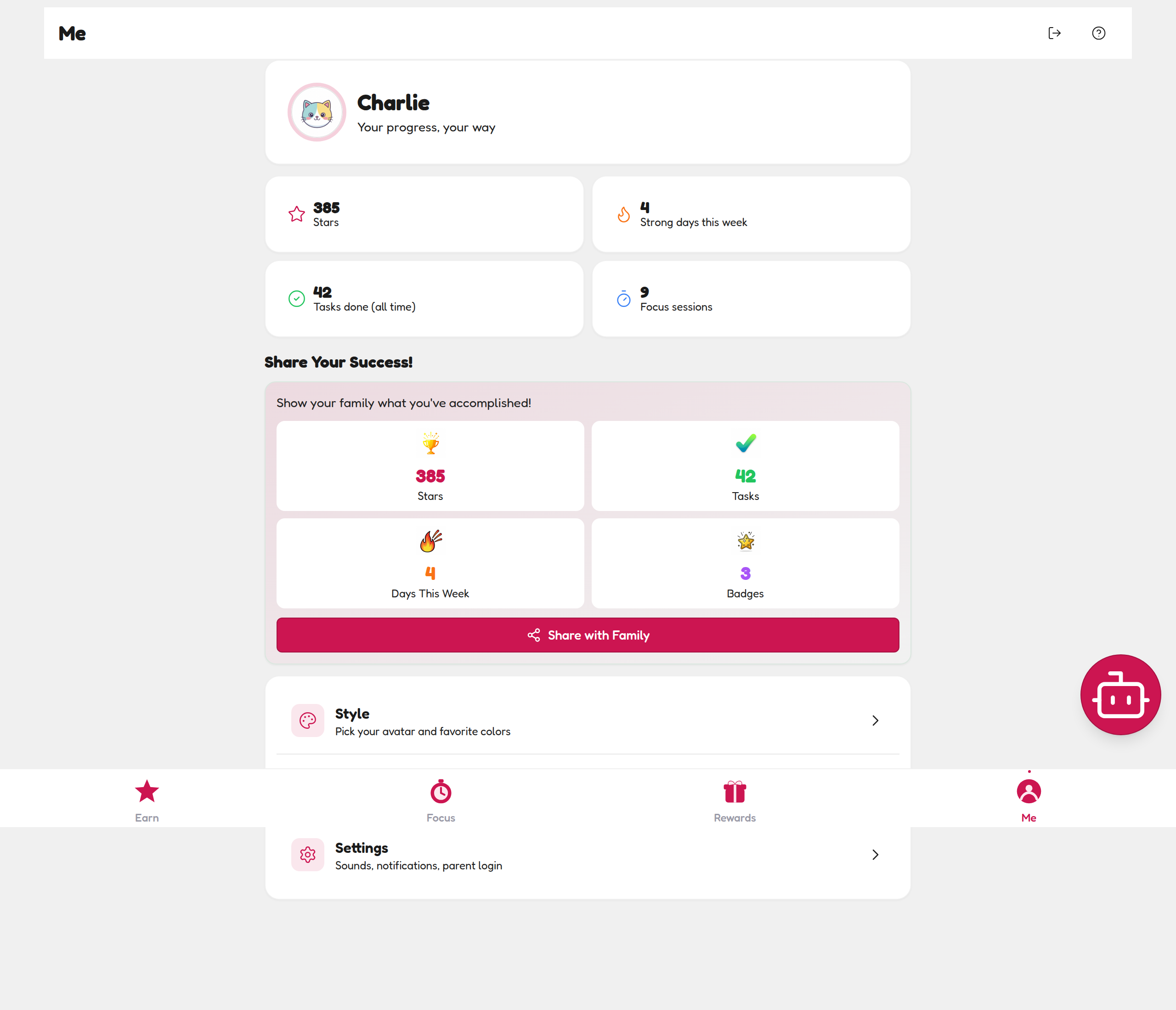
The Me tab: their trophy wall
The Me tab collects their stats — Stars, strong days this week, tasks done, focus sessions — plus the Share Your Success! panel, which bundles their wins into one screen they can proudly show a grandparent or send with the Share with Family button.
💡 Parent tip
For the first week, do the check-off together. You're teaching the loop: do task → tap → Stars → reward. Once it's a habit, step back and let them own it.