
The Insights tab is your window into your child's progress — "Track your child's progress and get AI-powered recommendations". Open it once a day — evening works well — and you'll know exactly how things are tracking and what to do tonight.
The 60-second nightly check-in
-
Open the Insights tab. A card per child greets you with the essentials — stars or XP, and their streak.

Your children, at a glance: stars or XP, and the streak that keeps them going. -
Tell the AI command bar what you care about. Type a priority and tap Make it so, or use a quick chip — the dashboard rearranges around it.

Type a priority, tap Make it so — or use a one-tap chip. -
Clear Needs Attention. Tasks waiting for your approval and overdue tasks — zeroes here mean a good day.
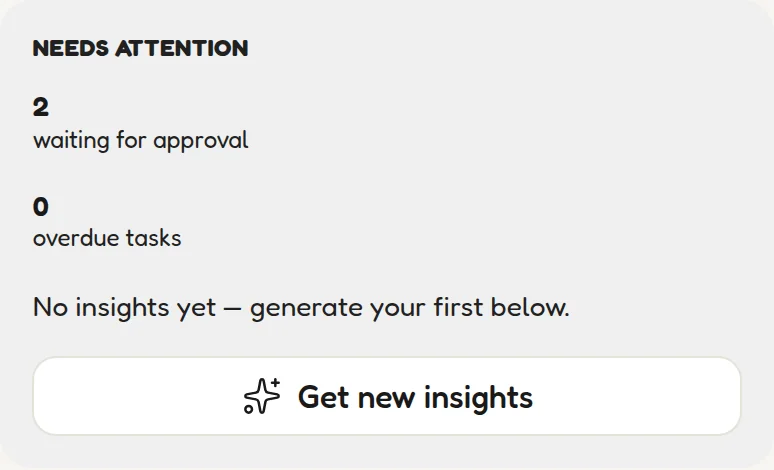
The two numbers to clear daily. Zeroes mean a good day. -
Read Tonight's Guidance. Plain-language, colour-coded advice you can act on before bed.
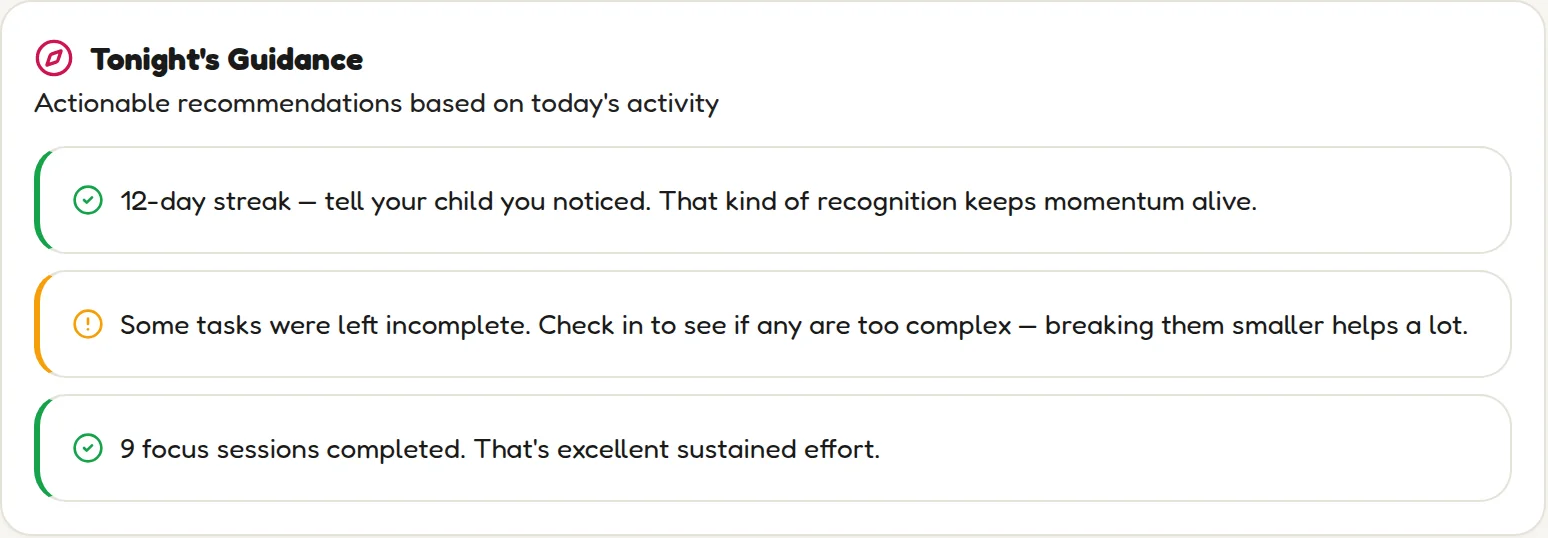
Tonight's Guidance: what to say and do, in plain language. -
Tap Get Insights for the deeper patterns. KidsFocus analyses recent task completion, focus sessions and sleep, then suggests what to adjust.
One tap for AI-pattern spotting across tasks, focus and sleep.
Ask for exactly what you want to see
Right at the top is an AI command bar. Type what you care about — the placeholder suggests "Show me writing minutes and sleep first…" — tap Make it so, and the dashboard rearranges around your priority. Quick chips like Writing minutes, Sleep tracker and Streak saver do it in one tap.
Your children, at a glance
A card per child with the essentials: Charlie shows 385 stars · 12-day streak; Mia shows 240 XP · Level 1 · 7-day streak. Kid-style profiles count stars; teen-style profiles level up with XP — same system, age-appropriate wrapping.
Tonight's Guidance
The most important card on the page. KidsFocus looks at today's activity and turns it into plain-language, actionable advice — colour-coded so you can scan it in seconds:
- Green — things going right: "12-day streak — tell your child you noticed. That kind of recognition keeps momentum alive."
- Amber — gentle flags: "Some tasks were left incomplete. Check in to see if any are too complex — breaking them smaller helps a lot."
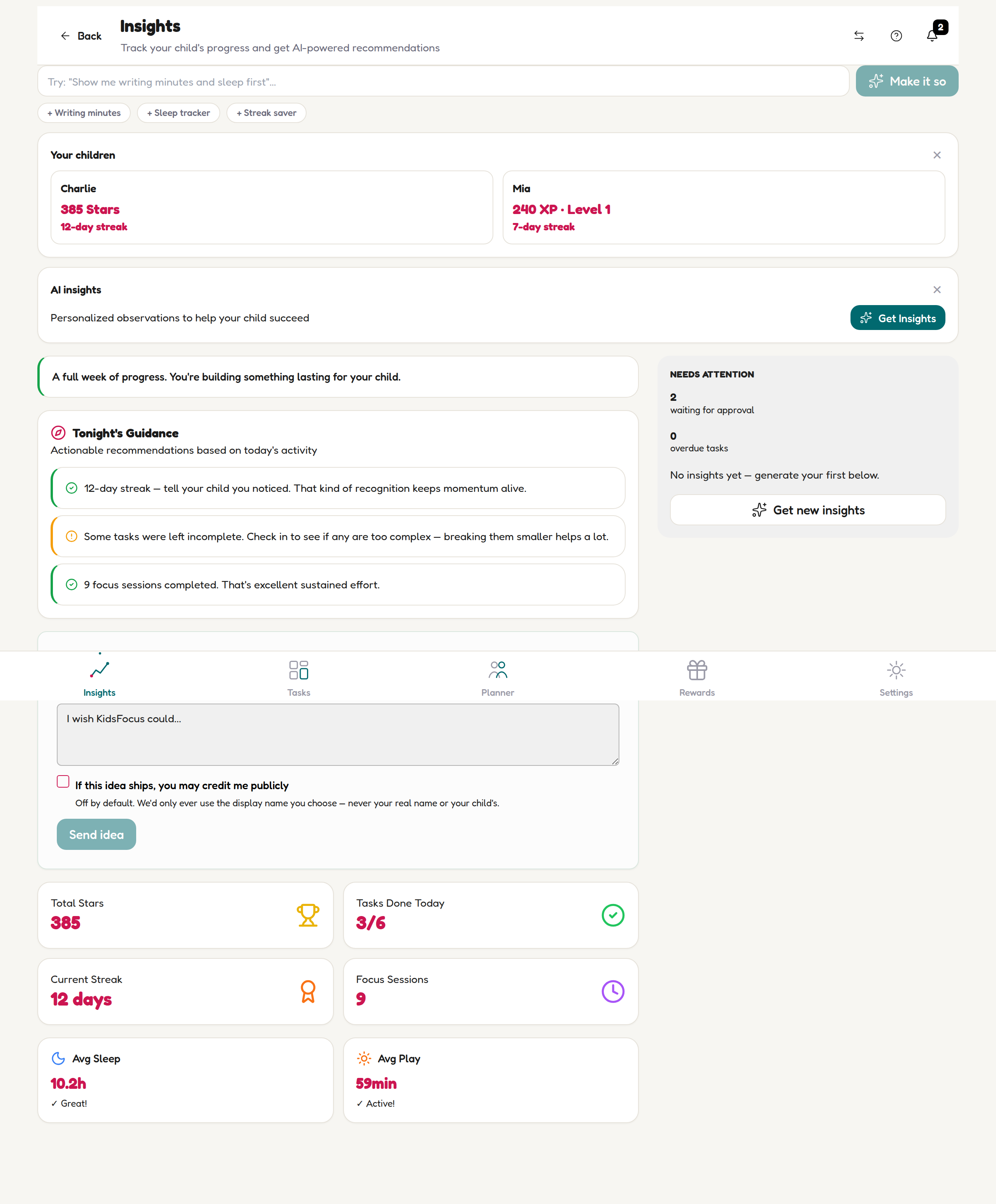
Needs Attention & AI Insights
- Needs Attention — the two numbers to clear daily: tasks waiting for your approval and overdue tasks. Zeroes here mean a good day.
- AI insights — tap Get Insights (or Get new insights for a fresh take) and KidsFocus analyses recent patterns — task completion, focus sessions, sleep — and suggests what to adjust: task difficulty, reward pricing, routine timing.
💡 The 60-second habit
Each night: open Insights, read Tonight's Guidance, say one specific thing you noticed to your child. "I saw you did nine focus sessions" lands very differently from "did you do your stuff?"
🗣 Tell us what's missing
The Suggest an Idea box at the bottom of this page ("I wish KidsFocus could…") goes straight to the family building KidsFocus — we read every one and you'll always hear back. Parents shape the roadmap, genuinely.